
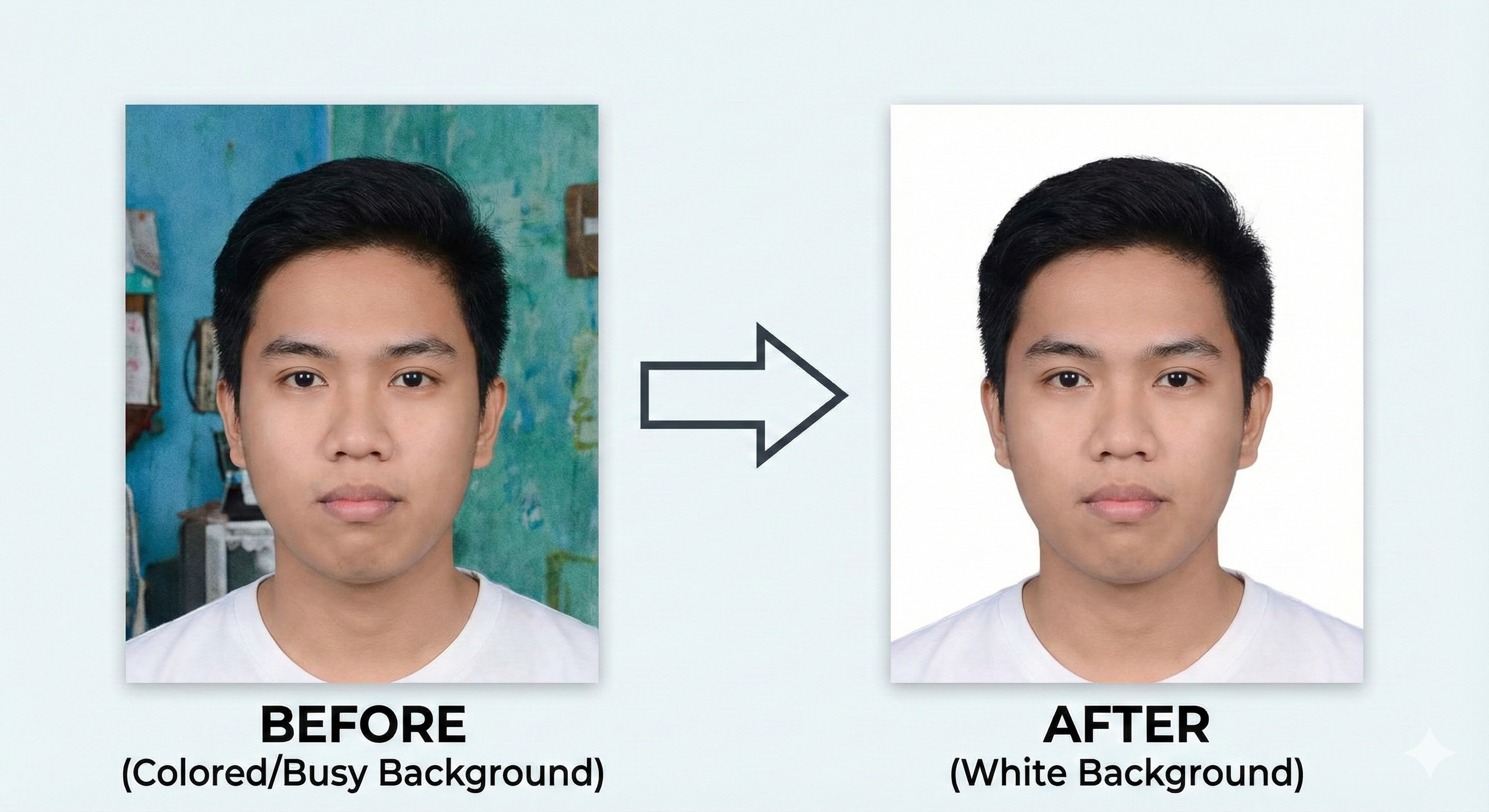
Introduction – Why Background Color Matters
When you fill out online applications for competitive exams or jobs, uploading your passport-size photograph is one of the final hurdles. You might have the exact physical dimensions and the correct file size, but if the background of your photograph contains patterns, colors, or shadows, the application system can reject it.
Nearly all major exam bodies in India, including the National Testing Agency (NTA), Staff Selection Commission (SSC), Union Public Service Commission (UPSC), and Institute of Banking Personnel Selection (IBPS), mandate a **plain white background** for uploaded photographs. Knowing how to change your photo's background to white online is a valuable skill that saves you time and trips to photo studios.
The Science Behind the White Background Rule
The white background rule is not arbitrary; it is necessary for two practical reasons:
- Biometric Compatibility: The online portals use automated facial recognition software to match your registration photo against your face at the exam center. Colored backgrounds, patterned wallpapers, or household objects behind you interfere with the software's ability to map your facial contours.
- Admit Card Print Quality: Admit cards are often printed in black and white at the exam gates. Colored backgrounds print as dark grey blocks, obscuring your ears, hair boundaries, and neck. A pure white background ensures your head outline stands out sharply.
Background Rules Across Major Indian Examinations
While white is the safest option, here is the breakdown of official requirements for key exams:
| Examination Name | Official Background Requirement | Risk Level of Colored Backdrop |
|---|---|---|
| NEET UG | Strictly plain white background only | High (immediate rejection) |
| JEE Main | Strictly plain white background | High (flagged as defect) |
| UPSC Civil Services | Solid white or very light background | Medium |
| SSC CGL / CHSL | Light grey or white solid background | Medium |
| IBPS / SBI Bank Exams | Solid white background only | High |
| Kerala PSC (Thulasi) | White or light-colored background | Low (as long as it is solid) |
Step-by-Step Guide to Changing Backgrounds Online
You can easily convert your existing colored photo background to a solid white background using MyExamPhoto's online tool:
- Capture: Take a photo of yourself facing a light source to minimize shadows. Any clean, plain wall is a good starting point.
- Upload: Open our free background editor on MyExamPhoto.
- Auto-Isolate: The AI model will process the image locally in your browser, separate your silhouette from the background, and remove the backdrop.
- Select White: Choose the solid white backdrop color option. The tool will place you on a pure white background.
- Crop & Resize: Choose your target exam preset (e.g., NEET 150x200 px or SSC 3.5x4.5 cm). The tool crops the image with your face centered.
- Verify and Download: Verify the preview and download the compliant JPG file under the required size limit (e.g., under 50 KB).
📸 Before You Upload Your Photo
Don't risk application rejection! Use our free tool to resize your photo to exact exam specifications.
Create Perfect Exam Photo →