
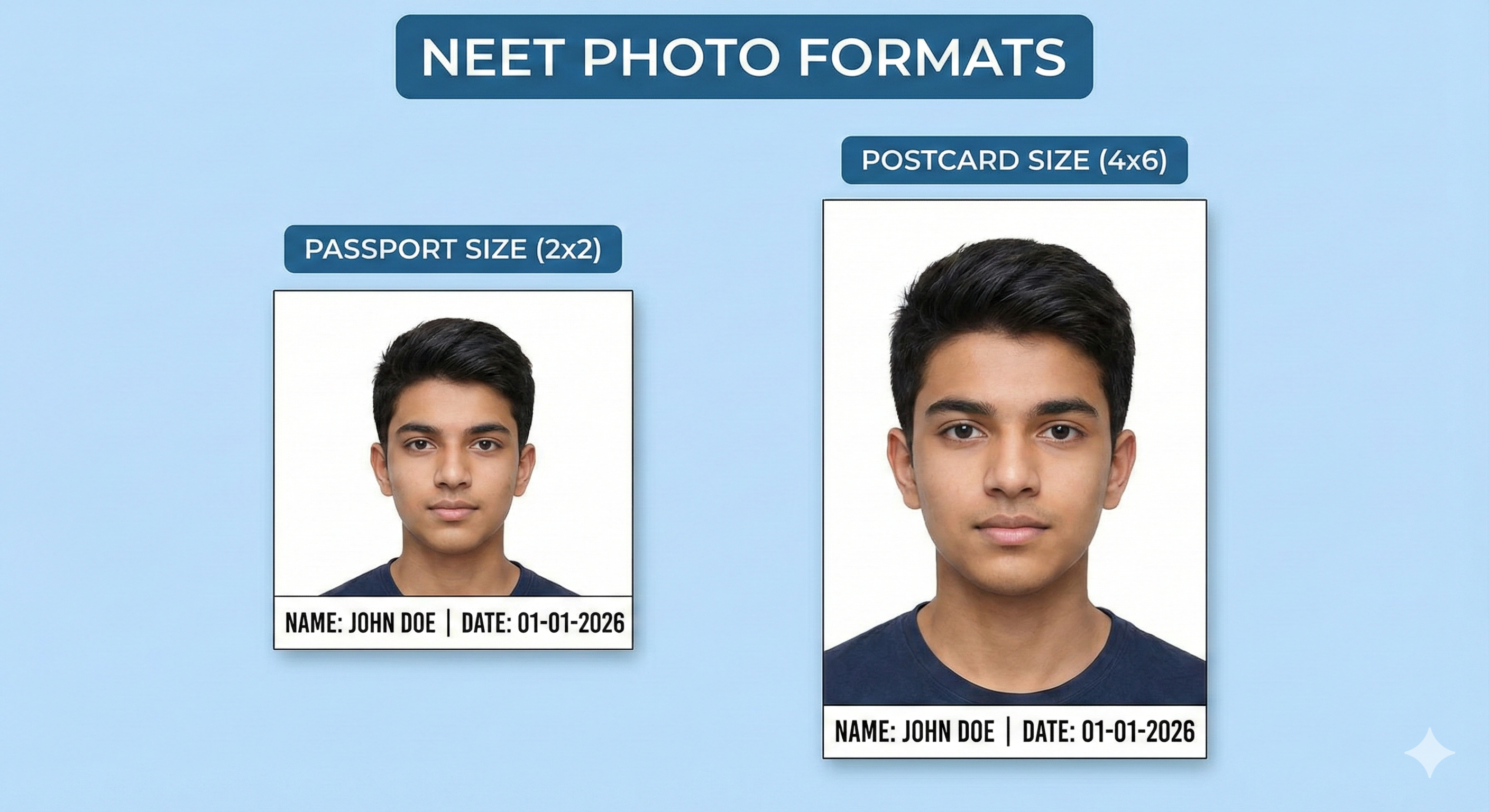
Introduction – Why NEET Photo Requirements Matter
Every year, over 22 lakh students appear for NEET UG — India's single largest medical entrance examination conducted by the National Testing Agency (NTA). The competition is fierce, and the last thing any aspiring doctor needs is to have their application flagged or rejected due to a simple photo error.
The NTA uses automated systems to scan and validate all uploaded photographs. If your photo doesn't meet the exact dimensions, file size, or quality requirements, the system will reject it outright. And even if it passes the automated check, exam hall authorities can deny you entry if the photograph on your admit card doesn't match your appearance.
This guide covers every single photo-related requirement for NEET UG, step by step, so you can prepare your documents confidently and focus on what really matters — your exam preparation.
Types of Photos Required for NEET UG
The NEET UG online application requires you to upload four distinct items:
- Passport Size Photograph — for the online form
- Postcard Size Photograph — to be brought to the exam hall
- Signature — scanned image of your signature
- Left Hand Thumb Impression — scanned or photographed
Each of these has different specifications. Let's cover them in detail.
Passport Size Photo Specifications
| Parameter | Requirement |
|---|---|
| Physical Dimensions | 2.5 cm × 3.5 cm (approx. 1 × 1.4 inches) |
| File Format | JPG / JPEG only |
| File Size | 10 KB to 200 KB |
| Background Color | Plain white only |
| Face Coverage | Minimum 80% of the frame |
| Photo Recency | Taken within the last 6 months |
| Expression | Neutral expression, mouth closed |
| Spectacles | Allowed only if worn regularly; no tinted lenses |
| Head Covering | Not allowed (except for religious reasons, must not obscure face) |
| Date Stamp | Not required by NTA |
Postcard Size Photo Specifications
This is a requirement unique to NEET UG. You must bring a physical postcard-size photograph to the exam hall on the day of the exam.
| Parameter | Requirement |
|---|---|
| Physical Dimensions | 4 × 6 inches (10.2 × 15.2 cm) |
| File Format | JPG / JPEG only (for digital upload) |
| File Size | 10 KB to 200 KB (for digital upload) |
| Background Color | Plain white only |
| Content | Face should be centered and clearly visible |
| Usage | Attendance sheet signature at exam hall |
The postcard photograph serves as your physical identification at the exam center. Invigilators will compare this photo against your admit card and your actual appearance. Make sure all three match exactly.
Signature Requirements
Your signature for NEET UG must be a scanned or photographed image of your actual handwritten signature. The NTA does not accept digital signatures or typed text.
| Parameter | Requirement |
|---|---|
| Physical Dimensions | 3.5 cm × 1.5 cm |
| File Format | JPG / JPEG only |
| File Size | 4 KB to 30 KB |
| Background | White paper |
| Ink Color | Black or dark blue ink |
| Style | Running handwriting (not all capitals) |
| Consistency | Must match the signature you will use at the exam hall |
Left Hand Thumb Impression
NEET UG also requires you to upload your left hand thumb impression. This is used for biometric verification at the exam center.
- Use your left hand thumb only
- Press your thumb on a clean white paper using a blue or black ink pad
- Ensure the impression is clear and complete — not smudged
- Scan or photograph it clearly against a white background
- Same file format (JPG) and size requirements (4–30 KB) as the signature
Step-by-Step Photo Preparation Guide
Follow this process to prepare all four required images correctly before you start filling the application form.
- Take a proper passport photo: Stand or sit against a plain white wall. Ensure even, bright lighting from the front. Have someone take your photo using a smartphone rear camera at eye level. Do not use flash — it creates shadows. Wear formal clothes and maintain a neutral expression.
- Resize to passport dimensions using MyExamPhoto: Upload your photo to MyExamPhoto's NEET preset. The tool automatically locks the correct aspect ratio and resizes the image to the exact dimensions. Compress it to under 200 KB.
- Create a postcard print: Print your photograph at 4×6 inch size at a photo studio. Bring 5–6 copies to the exam hall. Also keep a digital copy (JPG, under 200 KB) for the online form if required.
- Prepare your signature: Take a piece of white A4 paper. Sign your name clearly in black ink. Do not use all capital letters. Scan or photograph the signature. Use the Signature Resizer tool to crop to 3.5 × 1.5 cm and compress to under 30 KB.
- Take your thumb impression: Using a blue ink pad (available at any stationery store), press your left thumb firmly on white paper. Take a clear photograph of it. Resize as needed.
- Verify file sizes: Before uploading, right-click each file and check its size. Photo: 10–200 KB. Signature/Thumb: 4–30 KB.
📸 Before You Upload Your Photo
Don't risk application rejection! Use our free tool to resize your photo to exact exam specifications.
Create Perfect Exam Photo →